How to Transfer Contacts from Samsung to Samsung via Bluetooth

If you are looking for how to transfer contacts from Samsung to Samsung using bluetooth, this guide actually works! Forget the packaged software, no downloads needed. This method of transferring contacts is free, easy, and doesn't cost you a thing.
On this page
- How To Transfer Contacts From Samsung To Samsung
- Guide to Moving Samsung Contacts from phone
- Transferring Samsung contacts 2021
- How to transfer contacts from Samsung to Samsung via bluetooth
- How to export contacts from Samsung
- Pin this guide to Steps To Transfer Samsung Contacts Via Bluetooth
- S4 Samsung Battery problems
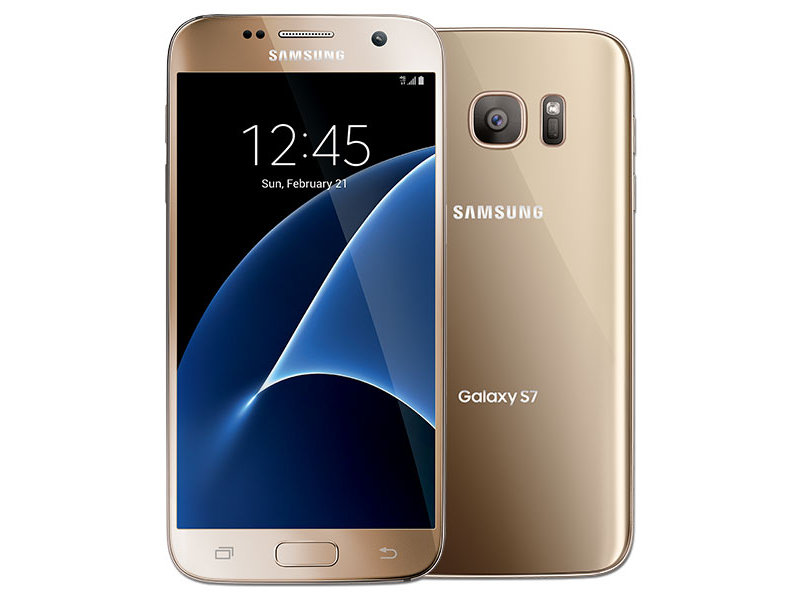
How To Transfer Contacts From Samsung To Samsung
One of the first things that I wanted to do after getting my new phone, was to transfer contacts from Samsung to Samsung phones.
Then I ran into a problem. The packaged Samsung software didn't transfer contacts, and people wanted to charge a lot of money for other software. Sound familiar?
So, I found a solution to the problem of how to transfer contacts from Samsung to Samsung. And it works brilliantly!
Basically, it uses bluetooth to export contacts from Samsung.
This also works on other devices when you want to transfer contacts from Android to Android. So, keep this easy to follow guide in mind for any future phones you buy!
Guide to Moving Samsung Contacts from phone
I thought that it would be a good idea to write this short guide about how to transfer contacts from a Samsung to Samsung Galaxy in order to help other people.
As it turns out, this guide to moving Samsung contacts has helped out hundreds of people over the last few years. And they're just the ones that have left comments!
Transferring Samsung contacts 2021
Updating this in 2020 Samsung users are still having problems. Even their own guide to moving contacts between Samsung phones is wrong. You would have thought Samsung would have fixed the issue by now!
Never mind though, this guide still works. Just follow the easy steps one at a time, and you'll soon transfer your contacts from one Samsung phone to another.
How to transfer contacts from Samsung to Samsung via bluetooth
Here's the step by step guide on how to transfer your Samsung contacts:
I hope you found this guide to how transfer contacts between Samsung phones easy to use. You can also check out this video which also show you how to move your Samsung contact list over.
I know from the kind comments that I have received that it has helped out quite a few people. You can check those comments out at the bottom of the page!
How to export contacts from Samsung
Remember, this method of how to transfer contacts from Samsung to Samsung via bluetooth works on all models. Transferring contacts between Android enabled Samsung phones with bluetooth works on all models, including the newer Samsung Galaxy S9 and A7.
It take less than five minutes, and involves no downloading of software.
In fact, it's quite surprising that Samsung don't actually mention how to transfer Samsung contacts from one phone to another!
You think there would be a simple to use Samsung transfer contacts button!
Pin this guide to Steps To Transfer Samsung Contacts Via Bluetooth
I'd love it if you could pin this guide to transferring contacts between Samsung phones so that it could help other people! Just hover over the image below, and you'll see the Pin icon pop up.
S4 Samsung Battery problems
There is another things that may be of interest to you other than knowing how to transfer contact Samsung.
This is, is that the Samsung S4 has quite severe battery problems. It doesn't really show itself for the first few months of phone usage, but after that, the battery seems to run out in just an hour or two.
Samsung have admitted that there is a fault with this, but it is probably just easier to buy a replacement battery. If you are noticing that your Samsung S4 is losing charge far too quickly, then you might like to read this article - Problem With Samsung S4 Battery
More tech Reviews at Dave's Travel Pages:
You might also be interested in these other reviews and guides:
Dave is a UK travel writer living in Athens since 2015. With 20 years of firsthand travel experience and over 80,000 km of bicycle touring across six continents, he's been blogging at Dave's Travel Pages since 2005. Every guide is based on places he's actually been.
Get inside tips written by a local expert — island hopping itineraries, ferry know-how and hidden corners of Greece, straight to your inbox.
Subscribe to the newsletter
That was absolutely easy.....and very accurate. Thanks!
Any idea about transferring other data like photos, messages, between the two phones?
After trying to sync contacts from my s2 to my s4 via kies air for about 2 hours, I decided to search on Google and found your advice. It took seconds......should've searched Google first! Many thanks, most helpful.
Spot on. Simples
Thanks very much for that! I am getting my s4 tomorrow after damaging my old phone, so I will be using the same sim card. Can this be done when only one phone has a sim in it please? Also, do you know if my pictures are saved to my phone or sim, if my phone would they be as simple to move? Thanks again!
Thank you so, so much, I have wasted hours trying to do this via gmail and straight to my PC unsuccessfully, your method was so straightforward and worked within a minute, thank you thank you thank you :)
Top man thanks! Spent two hours searching Samsung and other websites, none of which gave straight forward instructions like you! Cheers Andy
5 stars and 2 thumbs up. Thankyou. So much more helpful than the help line.
Thanks so much for this simple way to transfer contact. Made my life much simpler. Best advice I have had from the internet!!!
Had a little problem connecting but finally did it right and it worked perfectly. Thanks for saving me the one thing that can't be replaced. Time...
Brilliant - wish you would write all the user guides!!
You sir deserve a knighthood. Samung handbook went on about downloading on pc..doing this doing that blah blah blah where as your solution is the best
This is so easy! I have spent hours trying to get other methods to work. Now I am transferring my pictures the same way. I went into My Files and clicked on DCIM, then Camera, then the menu button, then Share, then Bluetooth. I suspect everything in My Files can be copied over this way. This has been a tremendous help and thank you so much!!!
Thank you so much for this information. Quite often I try to get help from the internet and left very disappointed. This totally works and is so unbelievably quick. Thank you so much for spending your own time to help others not waste their time!!
THANK YOU! I spent an hour trying to figure it out. Another site explained how to connect the blue tooth but then it said something like "find the other device" to transfer contacts WHAT? HOW? Then the Kies for the old phone wouldn't connect to the new one saying connection type was invalid, then the "Kies Air" on the new phone doesn't connect without Wi-fi! You saved me, more frustration thank you so much!
Guy at best buy said he transferred contacts, went home and realized he hadn't. So glad I checked this webpage before I made another trip, thank you so much.
fantastic, thanks a lot!!! it was easy and fast.
Really helpful article! I was dreading this but you explained it wonderfully, cheers mate!
Thanks, it worked as you said
After looking through various websites and wasting many hours trying to figure out how to transfer documents from one phone to another, I stumbled across this site and it has been a tremendous help! Thank you!!!
This was amazing! I just spend 2 hours trying to figure it out with Samsung's so called 'easy' Smart Switch program which utterly failed. Then looked it up online and found your advice - took me 5 minutes! Oh my god, wish I'd done that 2 hours ago. THANK YOU!
Thank you Dave. That really helped me. Even the person at 3 didn't tell me that.
Thanks Dave - Fantastic Clear and Concise instructions and 100% accurate! I remember the heartache I had when I set my Galaxy S2 up, spent hours typing in contacts, wasn't looking forward to doing the same with the S4, But no need!! Cheers, Alan
Awesome tip ! I was struggling with Samsung Kies / switch and all that. Took me hell lot of time and had a hard time, until I found your blog. Thanks a lot. Works in a flash, and works awesomely well. Kudos !
Wish I had done this about an hour ago. Kies is good for a backup, but not that useful for transferring data from an older phone to a new one. Thanks heaps!
Thank you so much!! I am transferring my contacts now. When I got my Galaxy S4 at Costco yesterday, the young man (16?) uploaded everything. But I discovered last night that none of my phone numbers had transferred, just the emails and FB contacts. I hope this works!
I just got the new Galaxy S5 & am having a "fun" time trying to transfer my contacts from my antiquated S2... have the two devises paired via Bluetooth but am not receiving the vcf or vCard on the new device .... any suggestions!?
Thanks!!!
GOT IT!!!!!
Thanks!!!
you are amazing and saved me a lot of time thank youuuuuuuu
Fantastic advice. I used it to transfer contacts from a Samsung Galaxy Young to a Samsung Pocket Neo. Worked perfectly. Thanks!
Thank You very much, really helpful.
Thank you for much for this - very helpful and clearly written
Thank you so much! I've spent nearly 2 hours trying to do that! Very happy.
Thank you!!! I got so frustrated messing around with apps that didn't work etc. This was far easier!
I went through the process again and it seems to have worked, I just have to sort out all my duplicates now! Thanks for the great advice though ..
Thank you so much Dave, I have spent over 2 hrs between the Kies software & the Samsung website trying to transfer something as simple (and important) as contacts. Neither of them proved to be helpful, just frustrating. I can't believe the people that sell these phones wouldn't suggest something as simple and fast as your solution! Thank you again :)
Transferred the contacts from a Galaxy S Duos to a Galaxy Pocket. Took only seconds. Didn't transfer the Groups tho. Any suggestions?
Brilliant, thank you ever so much. I was just about to do them all individually on my new phone when i stumbled across your site. Was all done in a minute :)
Thanks so much , you deserve an award.
Thank you so much for this! So helpful and as you said really easy. I have spent longer searching Samsung's website for the answer.
I consider my self a bit techy and couldn't for the life of me work out the transfer via Kies its not intuitive at all.. now I am kicking myself for not thinking of this simple solution.... durrr!!!
Thankyou, quick and easy
I think I love you!!!! You just saved me the biggest frustration that I have been dealing with for the last 2 hours!!! Thank you...thank you ....thank you!!!
Thanks a million. I don't have to go to my sons and ask them how to do it now. Don't like to have to do that as I feel like an old granny and I'm only 67. You're a legend.
Love you! x
DAVE.........You Rule.......Those promoting Smart Switch Drool. Easiest file transfer ever.
Thank You Very Much.
would this work transferring from a samsung galaxy s2 to something other than a samsung>
Amazing man , thank you. After 3 hours trying to use Smartswitch to no avail it took 3 minutes to use your method. You are a star.
Thanks Very Much.
Worth noting that this works for S5 as well.
Wow thanks! Quick and simple. You are a Samsung genius!
After 30 minutes of thinking about how to do it I did the logical thing and googled it.
30 seconds of reading your information and 20 seconds to actually execute it is a result!
Thanks very much
Thank you SO much - this took seconds after spending a whole afternoon trying to work out what to do; Kies & Samsung Switch methods didn't!!
You have just made my day ..... thanks a billion for cheering up New Year 2016!!!! :-)
Thanks so much - after paying for something to do this which did not work, yours did and was so easy. Now to work out how to transfer photos etc....
Thanks again.
Dear Dave, Thank you so much for the info on how to move contacts easily from the Samsung Galaxy S2 to theS4, I have done this today after worrying how to do it. Usually it's not been a problem because I have had the same sim but this time I am transferring over to the phone my husband used and needed to change to a micro sim, hence the problem which you solved for me. Today I had to contact Three to activate it I told the chap that I spoke to that I had googled how to transfer contacts and about the helpful guide you have given, even though they are not Samsung maybe, just maybe some inkling may get through to Samsung, because the info provided by Kies etc is not that great! If they were to look at this site they may think positively of hiring you, as you deserve to be paid for the help you have given to the people who have commented on your site over the past 3 years that I have read anyway. A Very Big Thank you to you and if you are still travelling stay safe and enjoy!
Dave....I am an older person and becoming more tech savvy all the time....in the end when the young and more savvy people in the Optus store and the shop where I bought the Samsung S5 said I'd probably have to manually move all my contacts one by one, I googled it and found your site. I had to fiddle around to pair my device, a Samsung Galaxy S2 and find the menu programme. But when I did, it transferred them in about 5 seconds. You are great and can teach and help lots of people with your advice. Thank you soooooo much.
Thank you so much. This is the only tutorial that worked!
Thanks a lot, this was fast and reliable. With Kies outdated and Smart Switch hard to install (if possible at all) on new phones, the situation was a mess.
Thank you for the most simple exit to get transfer of contacts .... really easy thank you..