Transfer Samsung Contacts from S3 to S5 Part 2

This is part two of how to transfer contacts from a Samsung Galaxy S2 to a Samsung galaxy S4. If you are looking for part one, then go through here - How to transfer contacts from a Samsung Galaxy S3 to a Samsung Galaxy S5. Remember, this method of transferring contacts between Android enabled Samsung phones with bluetooth works on all models, including the newer Samsung Galaxy S5. It take less than five minutes, and involves no downloading of software. In fact, it's quite surprising that Samsung don't actually mention how to transfer Samsung contacts from one phone to another!
Transfer Samsung Contacts Part 2
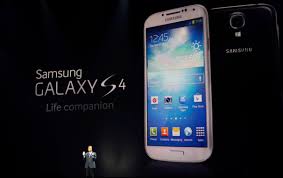
I hope you found this guide easy to use. I know from the kind comments that I have received that it has helped out quite a few people.
There is another things that may be of interest to you other than knowing how to transfer Samsung contacts from one phone to another. This is, is that the Samsung S4 has quite severe battery problems. It doesn't really show itself for the first few months of phone usage, but after that, the battery seems to run out in just an hour or two. Samsung have admitted that there is a fault with this, but it is probably just easier to buy a replacement battery. If you are noticing that your Samsung S4 is losing charge far too quickly, then you might like to read this article - Problem With Samsung S4 Battery
You might also like to read:
Dave is a UK travel writer living in Athens since 2015. With 20 years of firsthand travel experience and over 80,000 km of bicycle touring across six continents, he's been blogging at Dave's Travel Pages since 2005. Every guide is based on places he's actually been.
Get inside tips written by a local expert — island hopping itineraries, ferry know-how and hidden corners of Greece, straight to your inbox.
Subscribe to the newsletter
googled galaxy transfer contacts, found your post, success ... tyvm.
Fantastic – all contacts transferred. Thank you so much :)
Thanks a lot my friend. You just saved the last 4 hairs on my head from a sudden death.
FANTASTIC!!! I have spent three days trying to transfer my contacts using Smartswitch and Kies - none of which has worked. I found this by chance this morning and two minutes later my contacts are on my new Galaxy S5. Thank you so much. x
U sir are a genius
so simple, many thanks
many thanks, so simple instructions even I could do it.
Stunningly simple and quick. Thanks very much and Samsung could do with having a look at your website.!
I've just change my phone and i was just wondering was there a simple easy way of doing this.I'm really glad i found your website. Brilliant, easy step by step instructions. All contacts transferred Thankyou.
Thank you - your instructions were super simple and easy. We had googled how to transfer contacts and found a few sites that said we had to download software - glad we didn't follow those instructions and found yours instead! Thank you!!!
My pleasure... glad the tips were of some help!
Awesome!!!!! Had somehow lost contacts on S5 and this was so easy to copy them from my S2!! Thanks!!!!!!!!!!!!!!!!!!!!
Spent two hours Googling how to transfer contacts from my S2 to S5 ... tried three programs that did not work ... and then used your free advice. It worked great!! Thank you my friend! Sincerely appreciate it.
My pleasure Keith - I know how frustrating it was when I did it, so thought I would share it when I found out! Golad you have your phone contacts transferred the easy way now!
A million thanks. Your directions were very plain and easy to understand. You saved us a ton of time and work with your instructions. Thanks for posting them! :)
Thanks so much for this info. I was able to transfer my contacts from Samsung S to S5 very quickly. Samsung have the smartswitch feature but it doesn't support older phones
Awesome! Thank you Dave. So much simpler than trying to follow the phone instructions.
My pleasure! I wrote the article years ago - You think Samsung would have improved things by now! lol
Hi will this work on the s6
Yes... this works on all Samsung phones.
Well, I was not getting Smart Switch to correctly transfer my contacts from a Galaxy S4 to a new Galaxy S8. Your solution was pretty far down in the search results, but your explanation was very clear and concise, and it worked like magic!
On my S4 menu I did not have import/export in the menu but I found Contacts->Menu->Share Name Card. When you choose this the list comes up and you then hit the box to select all. Then select to share via Bluetooth.
I did not try doing this, but if there are any problems with the Bluetooth connection I am pretty sure you can share to e-mail and just send the file to yourself. Then open the file attachment in the new phone. Anyway, I am grateful you took the time to provide this answer; the third party software might work well, but I had to gasp at the $40 price!
That took me about 60 seconds after wasting about half an hour looking around. Thank you very much.
My pleasure! Glad this guide to transferring Samsung contacts is still proving useful after all these years!